How to display subprocessors in your Trust Center
Last updated: October 1, 2026
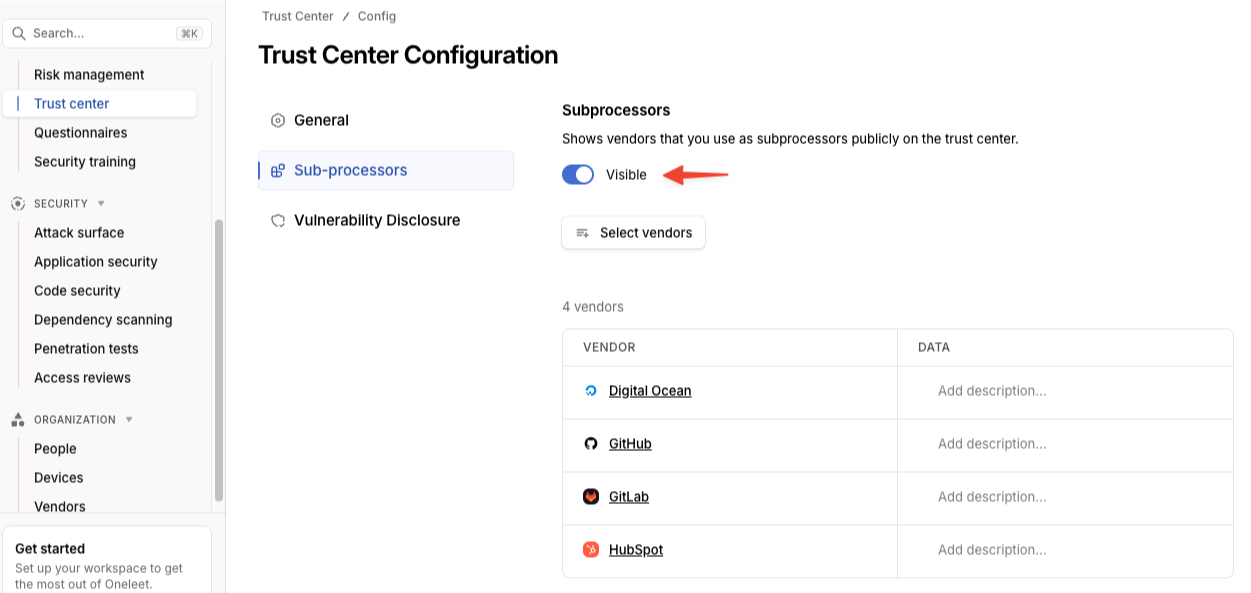
You can choose which vendors appear as subprocessors on your public Trust Center. Select the vendors you want to display, then set subprocessors to Visible.
Steps
Open Trust Center from the left navigation.
Click Configure in the top-right corner.
Select Subprocessors.
Click Select vendors, then choose the vendors you want to display as subprocessors.
Set the Subprocessors visibility setting to Visible.
Confirm the result
Open your public Trust Center and confirm that the vendors you selected appear in the subprocessor list.
Check the visibility setting: Make sure the setting reads Visible. If it reads Hidden, the selected subprocessors will not appear on your public Trust Center.