Inviting Members to your Oneleet Workspace
Last updated: September 25, 2026
Before you start
You must have Admin level permissions in your workspace in order to perform these steps.
Steps
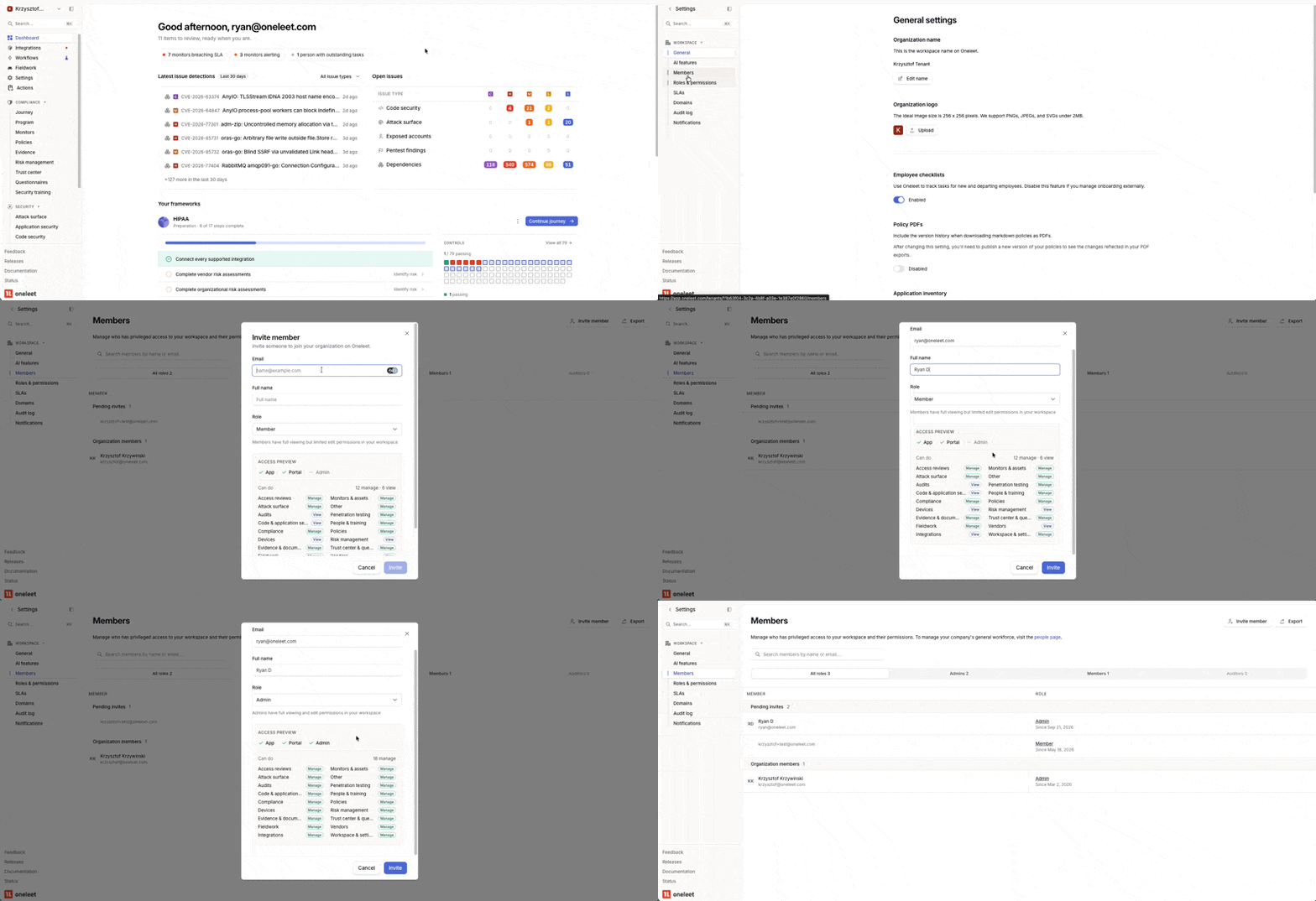
Select the
Settingsoption in the left-hand navigation bar.Click on
Membersand then click theInvite memberbutton in the top-right corner of the page.In the pop-up modal, fill in the
EmailandFull namefields.Select the
RoleofMemberorAdminfor your new user. For a breakdown of the permissions differences between the two roles, see Role Permissions below.Click
Invite.
Video Guide
What happens next
The invitee will receive an email with a link to join your workspace. They must click the button labeled Log in to Oneleet to gain access.
Role Permissions
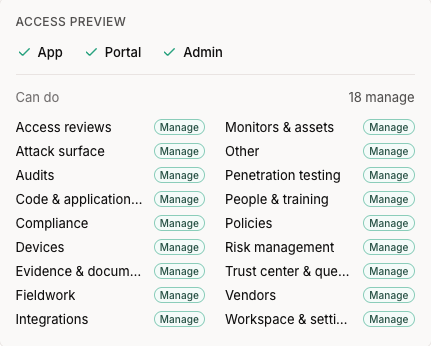
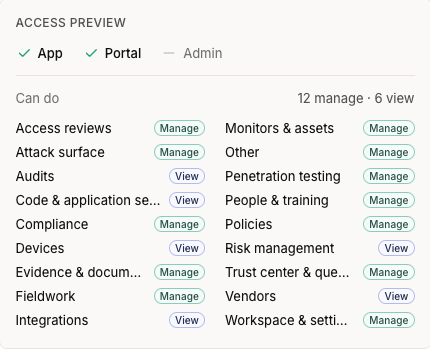
Here is a visual breakdown of the permissions differences between Admin and Member roles within Oneleet.
Member
Admin